Preview
Install
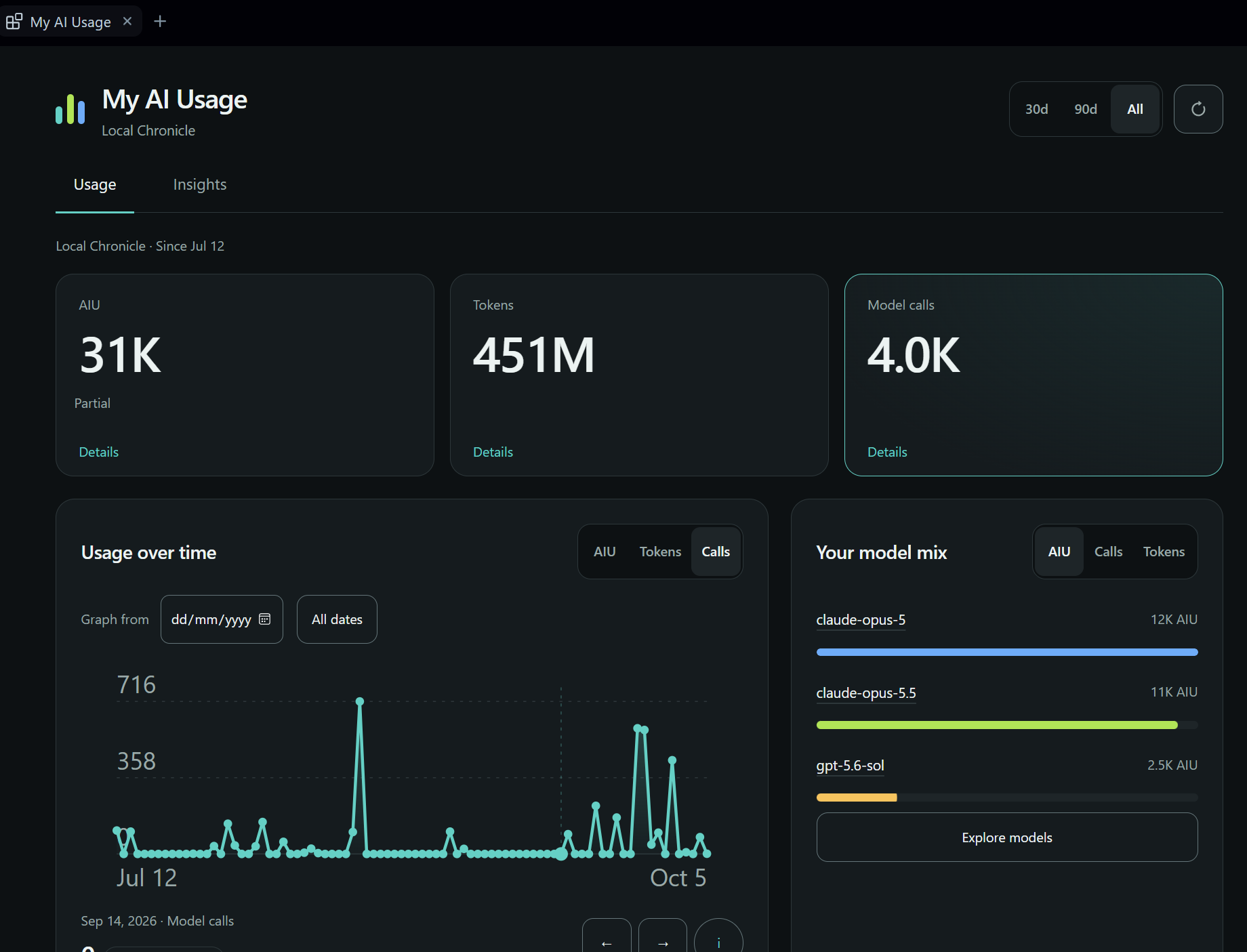
copilot plugin install chronicle-stats@awesome-copilotSee your local Copilot token usage by day, model, and session, and get tips to use it more efficiently.

Requirements
- GitHub Copilot app with canvas support
- Node 22.13+ (uses
node:sqlite) - Signed in to Copilot for Insights
Usage
copilot plugin install chronicle-stats@awesome-copilot- In the Copilot app, open Canvases and open My AI Usage.
Privacy
Reads your local session store read-only. Insights run through your Copilot session and are saved to ~/.copilot/extensions/chronicle-stats/artifacts/.private/ by default, or $COPILOT_HOME/extensions/chronicle-stats/artifacts/.private/ when COPILOT_HOME is set.
Troubleshooting
- Storage busy: quit all Copilot processes, back up and delete
.write-lockin the folder above, then reopen. - Invalid store: back up
insights.json, then restore a good copy. Don't replace it with an empty file.